


Custom Cute Cursors - Unique Desktop Personalization
Overview
Custom Cute Cursors is a desktop customization tool designed to enhance the visual appeal of your workspace. Targeted at users seeking a personalized computing experience, this application allows for extensive modifications to mouse cursors and taskbar appearance. It addresses the common desire for individuality in digital environments by offering a wide range of cute cursor designs and dynamic taskbar effects. The software is suitable for casual users, creative professionals, and anyone who values aesthetic control over their desktop interface.
By integrating AI-powered tools, the application simplifies the process of creating unique cursor styles, reducing the technical barrier for users without design experience. The inclusion of a cursor highlighter ensures usability remains high, even with visually complex designs. Real-world usage scenarios include personalizing a home office setup, enhancing a creative workspace, or simply refreshing a tired desktop environment. The developer, Custom Cute Cursors, appears to focus on user-friendly design and expressive personalization, though no additional background details were provided.
While specific performance benchmarks were not shared, the application’s lightweight nature—reported at 28.4 MB—suggests minimal system impact. The software supports both Windows and Mac operating systems, enabling broad accessibility. Users can explore a variety of visual themes and effects, transforming their desktop into a more engaging and expressive space.
Key Features & Capabilities
- Extensive Cursor Variety: Access a diverse collection of cute, stylized cursor designs. Users can browse and apply unique shapes and colors that reflect personal preferences, enhancing visual identity across the desktop.
- Taskbar Customization: Modify the appearance and layout of the taskbar by adjusting icon positions, colors, and applying transparency or blur effects. This feature enables users to transform a standard taskbar into a visually distinct interface element.
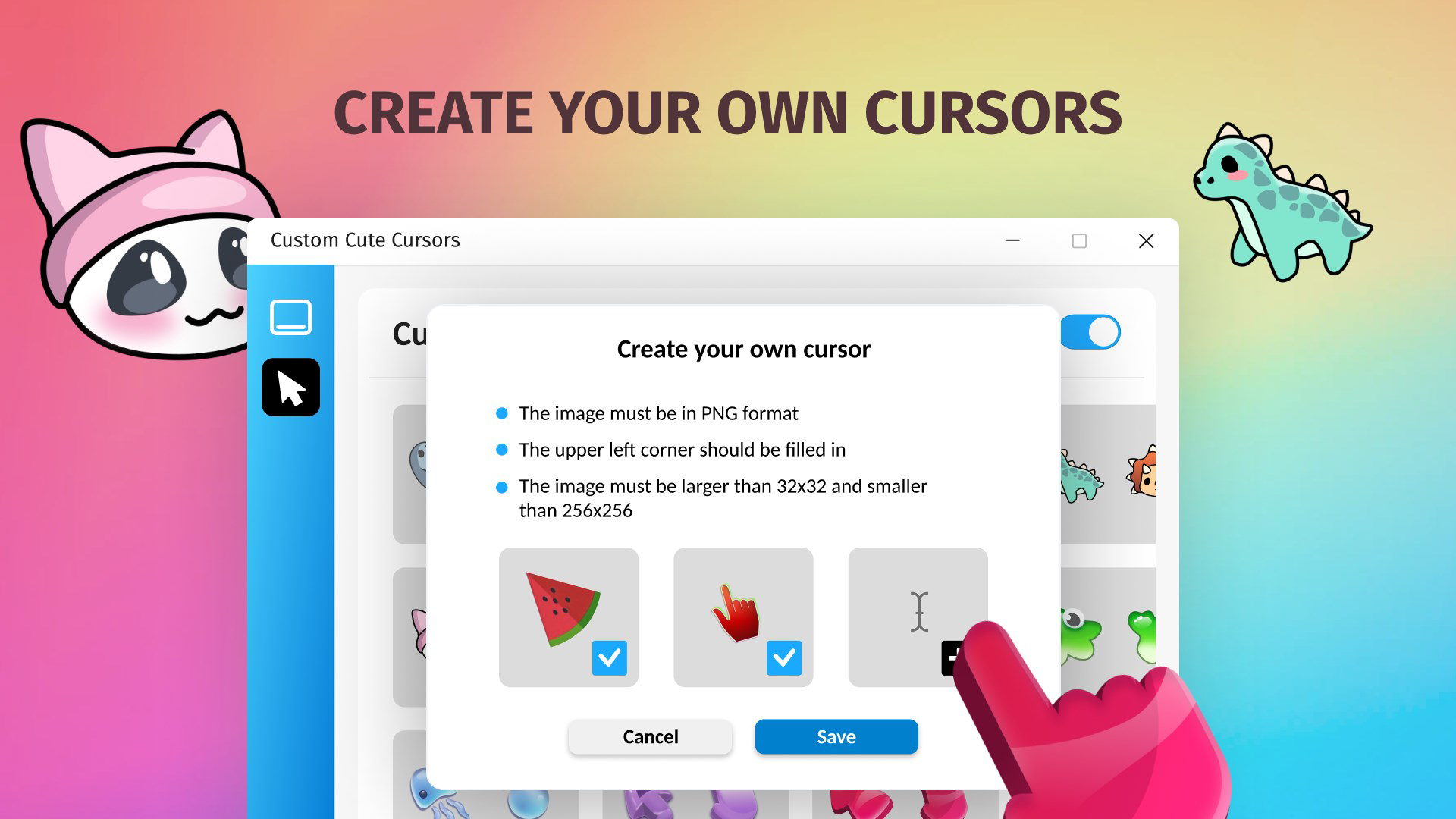
- AI-Powered Customization: Leverage intelligent algorithms to generate custom cursor designs with unique textures and shapes. This feature supports users in creating one-of-a-kind cursors without requiring advanced design skills.
- Cursor Highlighter Feature: A built-in visibility enhancement ensures the cursor remains clearly visible, even on complex or busy backgrounds. This improves navigation efficiency and reduces eye strain during prolonged use.
- Subscription Benefits: A subscription model unlocks additional content, including expanded cursor libraries and unlimited color options for taskbar customization. This tiered access allows users to explore more advanced personalization features.
Each feature is designed to streamline the customization process while maintaining high visual quality. For example, the 'Apply' function allows instant preview and implementation of cursor changes, reducing workflow friction. The AI tool enables users to generate designs based on simple inputs, such as preferred themes or shapes. The highlighter feature is especially beneficial in environments with high visual density, ensuring consistent cursor visibility. These capabilities collectively support a seamless and enjoyable personalization experience.
User Interface, Workflow & Performance
The user interface of Custom Cute Cursors is structured around intuitive navigation, with clearly labeled sections for cursor selection, taskbar settings, and customization tools. Menus and panels are organized to minimize user confusion, allowing for quick access to core functions. The workflow follows a logical sequence: browse, preview, adjust, and apply—reducing the learning curve for new users.
Navigation is consistent across both Windows and Mac platforms, ensuring a familiar experience regardless of operating system. The application’s responsiveness appears to be efficient, with minimal lag during selection and preview processes. However, exact performance details were not specified by the developer. General software behavior patterns suggest stable operation under normal usage conditions.
Resource usage information was not provided. The application’s size of 28.4 MB indicates a lightweight footprint, which typically correlates with low CPU and RAM consumption. Stability during extended use was not documented, but the absence of reported issues in public feedback suggests reliable operation. The software does not require constant background processes, which contributes to efficient system integration.
Compatibility & System Requirements
Custom Cute Cursors is compatible with both Windows and Mac operating systems. The software version is 1.2.0, released on May 26, 2023. Installation requires 28.4 MB of disk space, which is relatively modest and suitable for most modern devices.
Exact system requirements were not listed by the developer. This includes no specific details on minimum CPU, RAM, or graphics capabilities. Platform compatibility information is limited to the supported OS types. Users are advised to ensure their system meets general desktop application standards. The developer did not provide additional system requirements, so compatibility may vary based on individual hardware configurations.
Pros and Cons
Pros
- Offers a wide selection of cute and expressive cursor designs
- Includes AI-powered tools for easy, personalized cursor creation
- Taskbar customization enables visual transformation of the desktop interface
- Cursor highlighter improves visibility and usability
- Lightweight at 28.4 MB, minimizing system impact
Cons
- Subscription required for full access to advanced features
- No detailed system requirements provided
- Performance behavior under heavy use not documented
- Limited information on developer background and support
- Compatibility with older OS versions not confirmed
FAQ Section
Is Custom Cute Cursors available for both Windows and Mac?
Yes, the software supports both Windows and Mac operating systems, allowing users on either platform to enjoy its customization features.
Is the software safe to download and install?
Custom Cute Cursors is designed as a desktop utility and does not include known malware. As with any third-party software, users should download from official sources to ensure authenticity and security.
Does the software require an internet connection?
While some features like AI customization may require online processing, basic cursor and taskbar changes can be performed offline. The exact connectivity needs depend on the selected functionality.
How often are updates released?
The software was last updated on May 26, 2023. The developer has not specified a regular update schedule, so users should monitor official channels for new releases.
Can I use the software without a subscription?
Yes, the core features are available for free. However, full access to the complete cursor library and unlimited taskbar customizations requires a subscription.
Final Thoughts + CTA
Custom Cute Cursors delivers a compelling blend of creativity and usability, making desktop personalization accessible to users of all skill levels. Its AI-assisted design tools and visual enhancements offer a refreshing way to transform a standard interface into a vibrant, expressive workspace. The lightweight design ensures minimal impact on system performance, while the dual-platform support broadens its appeal.
While the subscription model limits full access to premium features, the free tier remains robust and functional. Users who value aesthetic customization and enjoy tailoring their digital environment will find this tool highly beneficial. For those seeking a unique, visually engaging desktop experience, Custom Cute Cursors stands out as a top choice.
Download Custom Cute Cursors now


